Redact PDFs
Manual, search-based and automatic tools for confidential text, PII, images and visible PDF objects.
- Manual Draw
- Search & Context
- PII & Currency
- RegEx Builder
- Faces & Images
- Live Preview
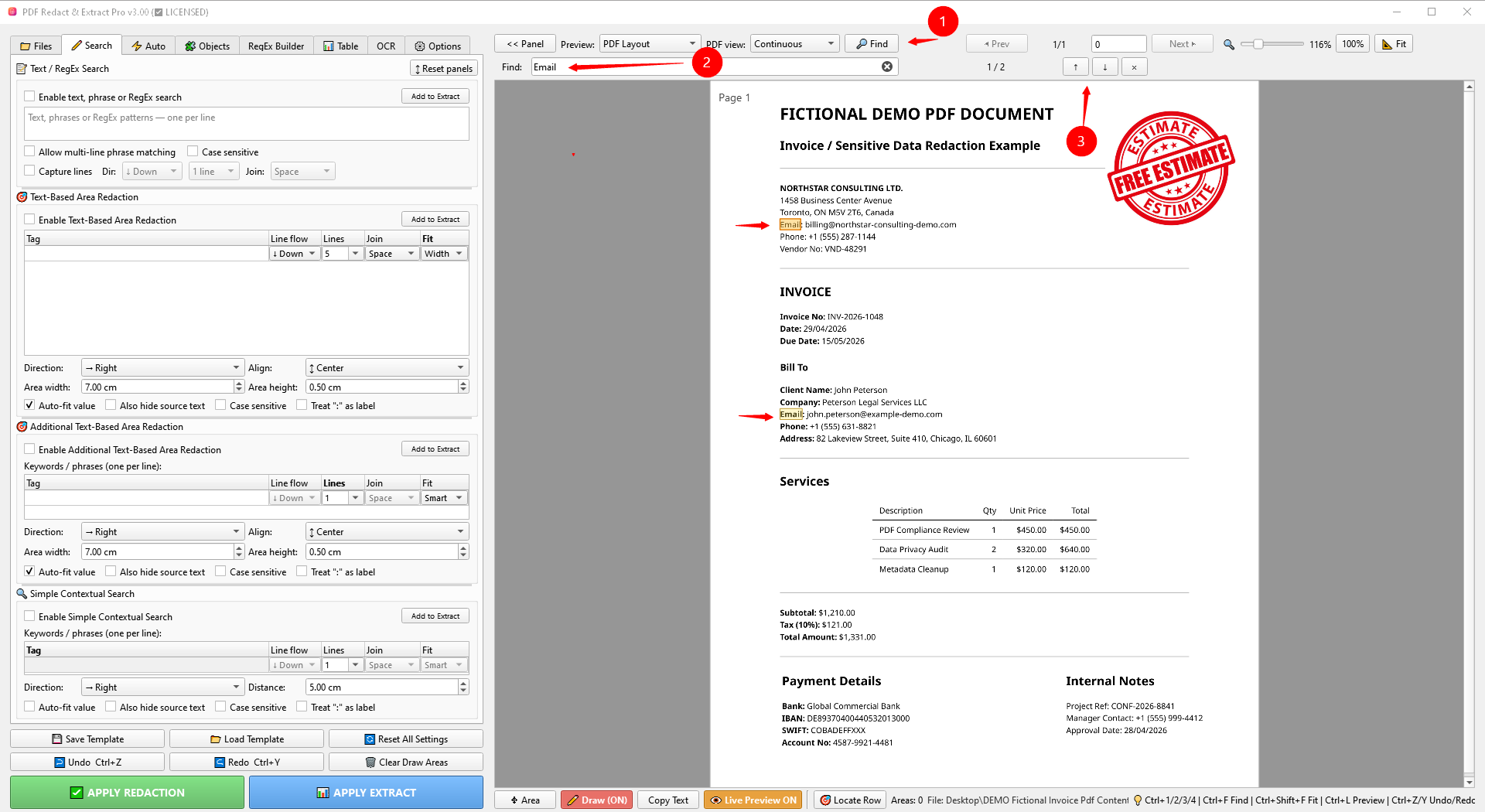
Redact confidential content and extract structured data or tables to Excel. OCR scanned PDFs, review both workflows visually, and create output only when you are ready.
Redact sensitive PDF content or extract structured information to Excel. Both workflows use visual review before final output.
Manual, search-based and automatic tools for confidential text, PII, images and visible PDF objects.
Extract fields and tables, configure structured output, then verify the result in Excel Preview.
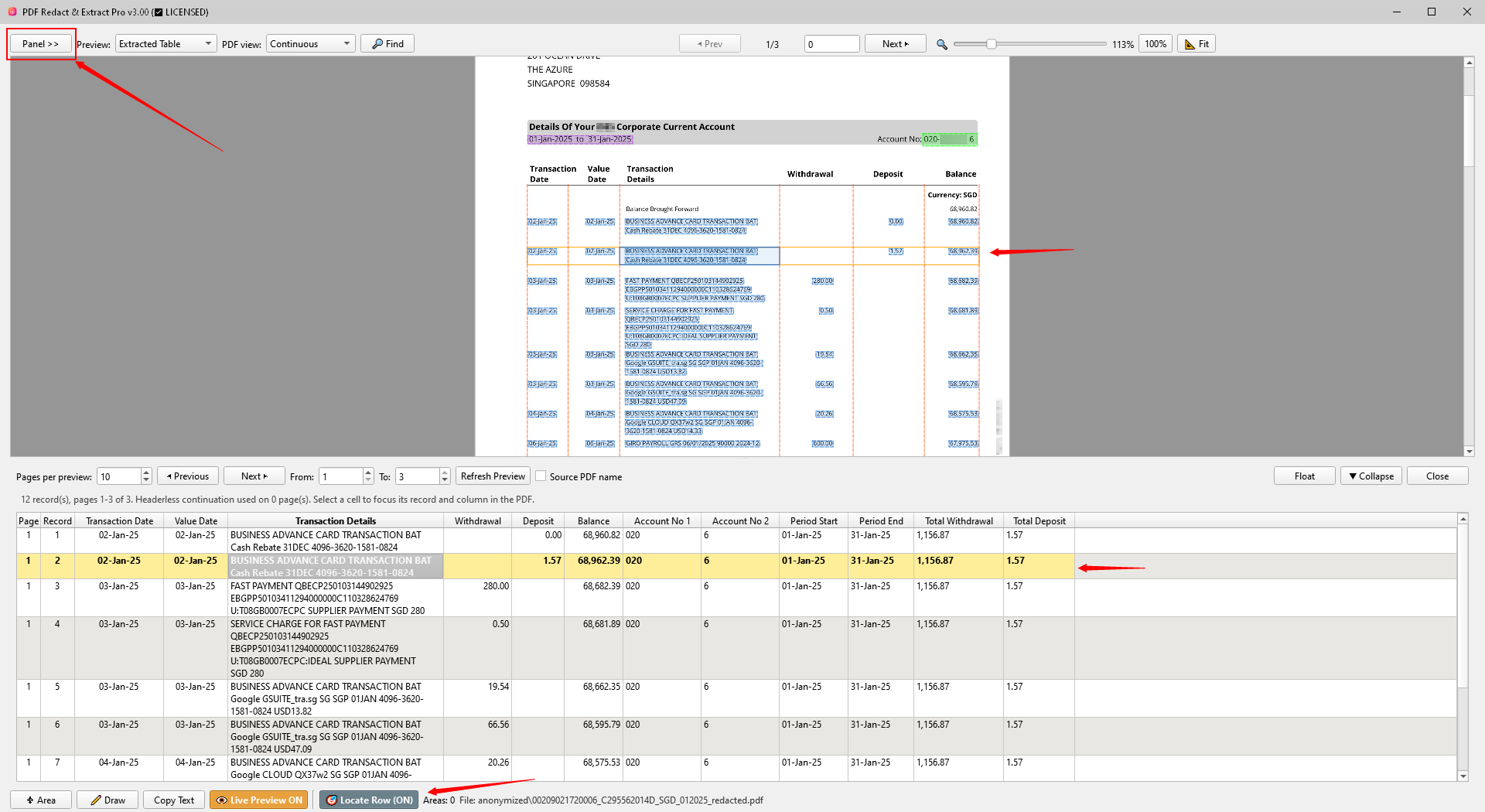
Check redaction overlays and extracted values visually before creating the final PDF or Excel file.
Open one file, a folder, or a batch. OCR scanned documents when a searchable text layer is needed.
Use Draw, Search, Auto, RegEx or Table tools. Check Live Preview and Excel Preview before output.
Create protected PDFs, Excel output, or both — while keeping the source documents under your control.
Search modules stay focused on finding the right content. Add the result to Extract, configure the output card, then confirm the final values in Excel Preview.
Define table geometry, physical columns and output structure, then convert PDF data to Excel with Split, Merge, typing and visual verification.
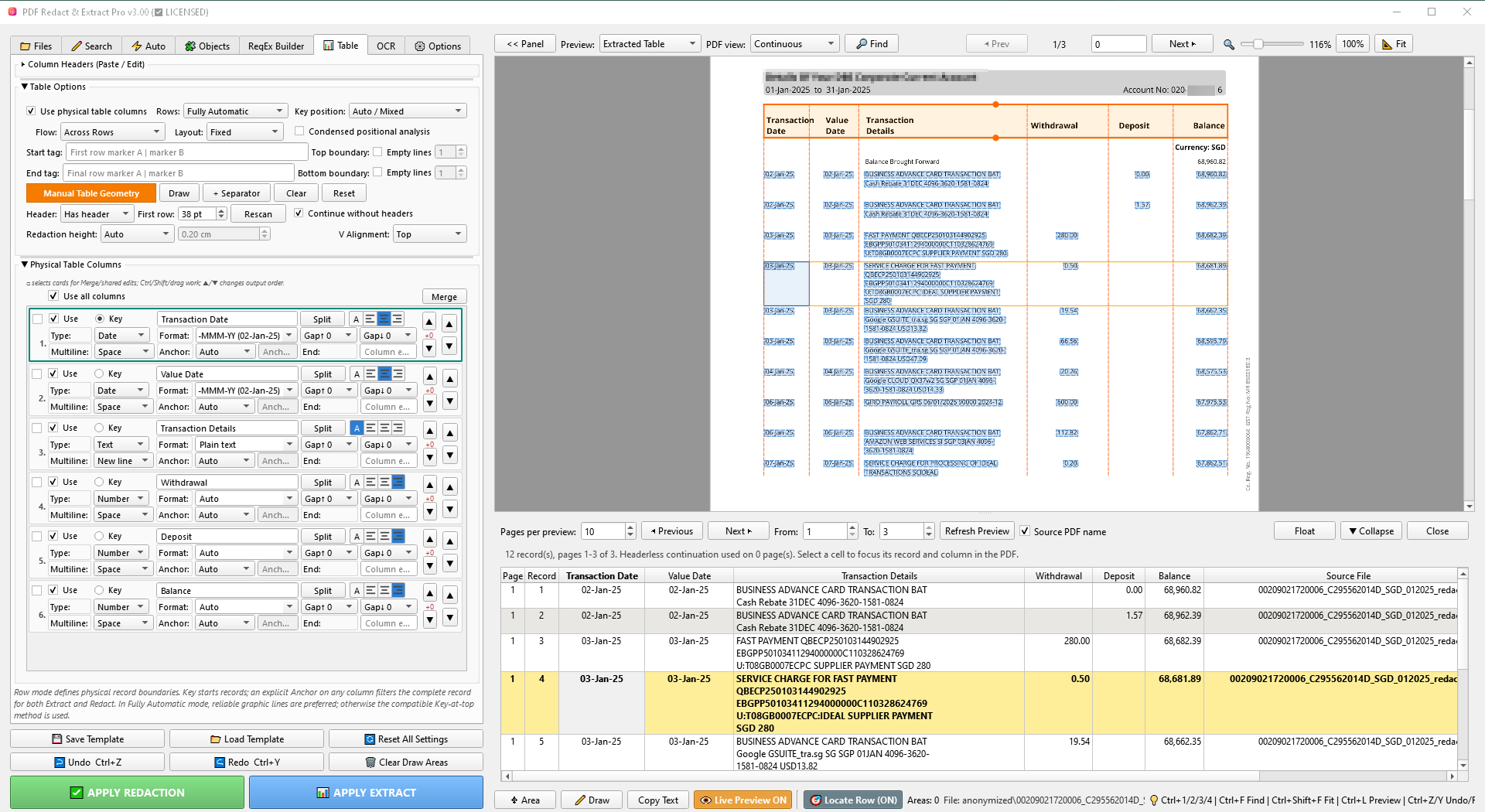
Work with scans, changing page layouts and repeated jobs — from a single manual rectangle to reusable page-specific and batch workflows.
Create a searchable text layer, then use the normal Search, Auto and Table workflows.
Keep manual Draw areas or supported rule profiles different on individual pages when layouts change.
Save reusable configurations and process multiple PDFs or one file at a time.
Review redaction overlays and extracted values before creating the final PDF or Excel file.
Demonstrations and tutorials for PDF Redact & Extract Pro workflows.
A straightforward one-time purchase for the full Windows version.
The current Windows build is not yet digitally code-signed. Windows Smart App Control and some corporate security policies may block unsigned applications. Code signing is planned for a future release. If your environment requires digitally signed software, the current version may not be suitable for your system.
No. The application is designed to process documents locally on your Windows PC.
Yes. Use the OCR workflow to create searchable copies, then apply Search, Auto and Table tools.
Yes. Use Search-to-Extract or Table tools to extract PDF data, structure it with Split/Merge, review it in Excel Preview, and create the final Excel output with Apply Extract.
No. The full version is sold as a one-time purchase.
Not yet. The current release is an unsigned Windows application, so Windows Smart App Control or restrictive corporate security policies may prevent it from running. Code signing is planned for a future release. If your organization only permits digitally signed applications, please wait for a future signed release.
Ask about the app, licensing, payment or a workflow you want to confirm before buying.
Try the app, read the guide or watch demonstrations before deciding.
Essential browser storage is used for your privacy choice. Google Analytics loads only after you accept analytics cookies.